Add-in Introduction
Predecessors
This section assumes the following were already completed:
- Registered an account
- Chosen a plan (the Individual plan is free) or been added to a Corporate plan.
- Downloaded the Excel Add-in file
- Set up the Whoa Add-in; it should be visible in the Excel Ribbon in any Workbook you have open. Nearby images show what the Ribbon looks like.
NOTE you only have to provide your Personal API Token once (per machine).
Inputting Personal API Token
Add-in capabilities are restricted until you provide your Personal Token. You only need to provide the API Token one time (unless you reset it).
- Sign in, then copy your Personal API Token from your user profile page. No account yet? Start with the Quick Start; the Individual plan is free.
- In Excel, click the Config icon shown below in the Ribbon:
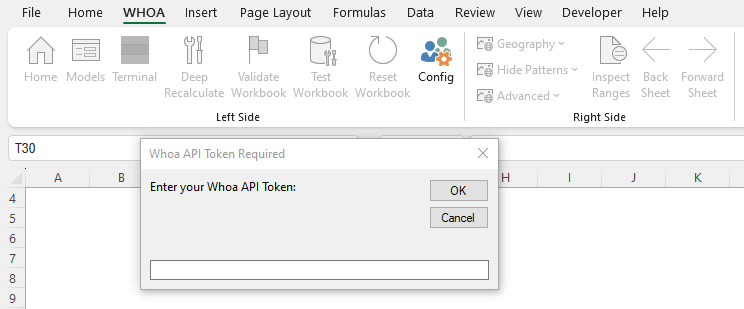
- Paste your API Token into the prompt that appears.
NOTE if the operation succeeded, you will see the Inspect Ranges button become activated.

The next section will explain how to create Host Workbook, which is the basis for your first application.
No Previous Page
Creating a Host Workbook >>